You can customize your ONE Health experience by updating your preferences and settings.
Accessing the Settings Page
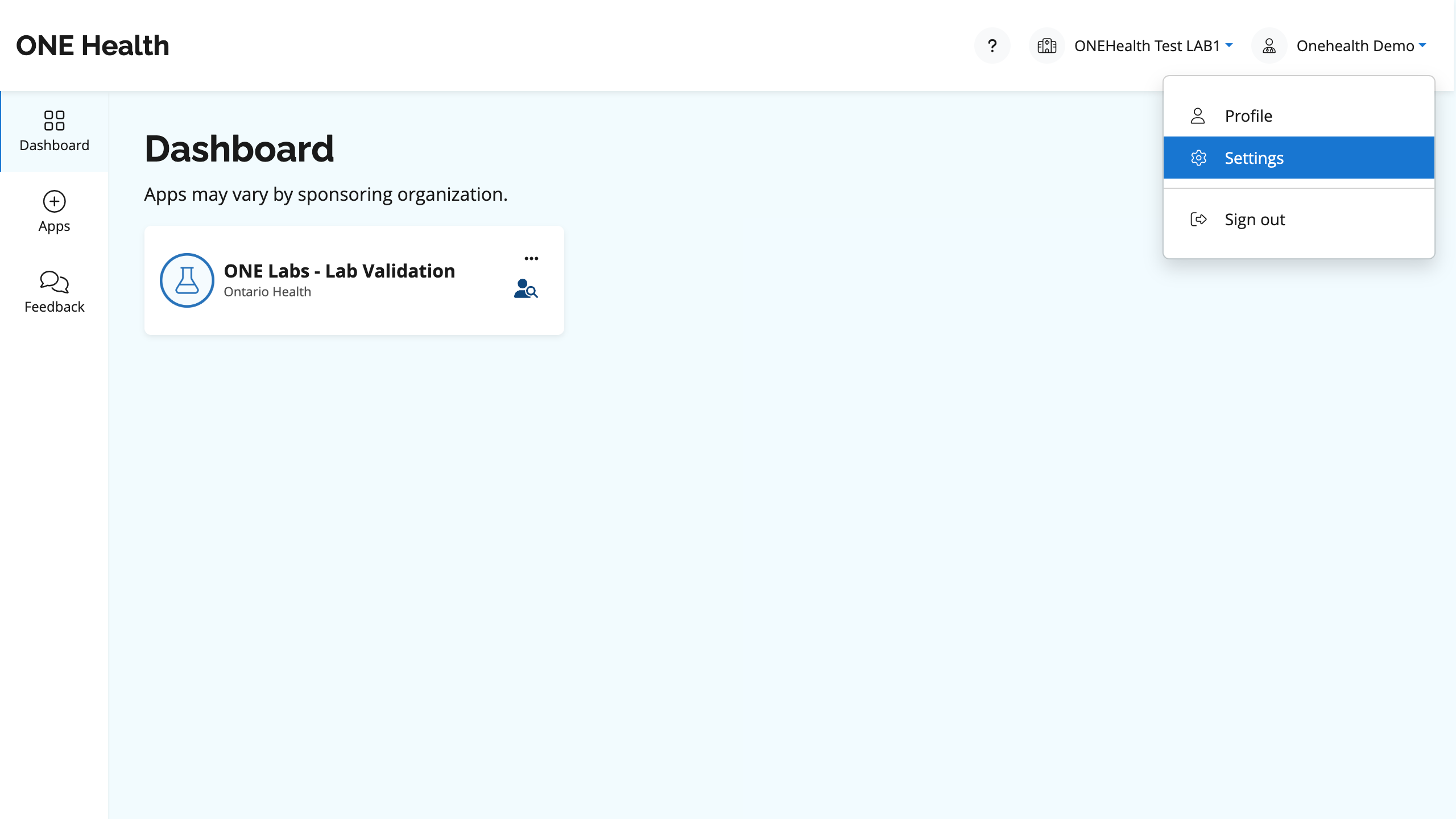
- Select the user icon in the top-right corner of the application header.
- Select Settings from the dropdown menu.
What Can You Manage?
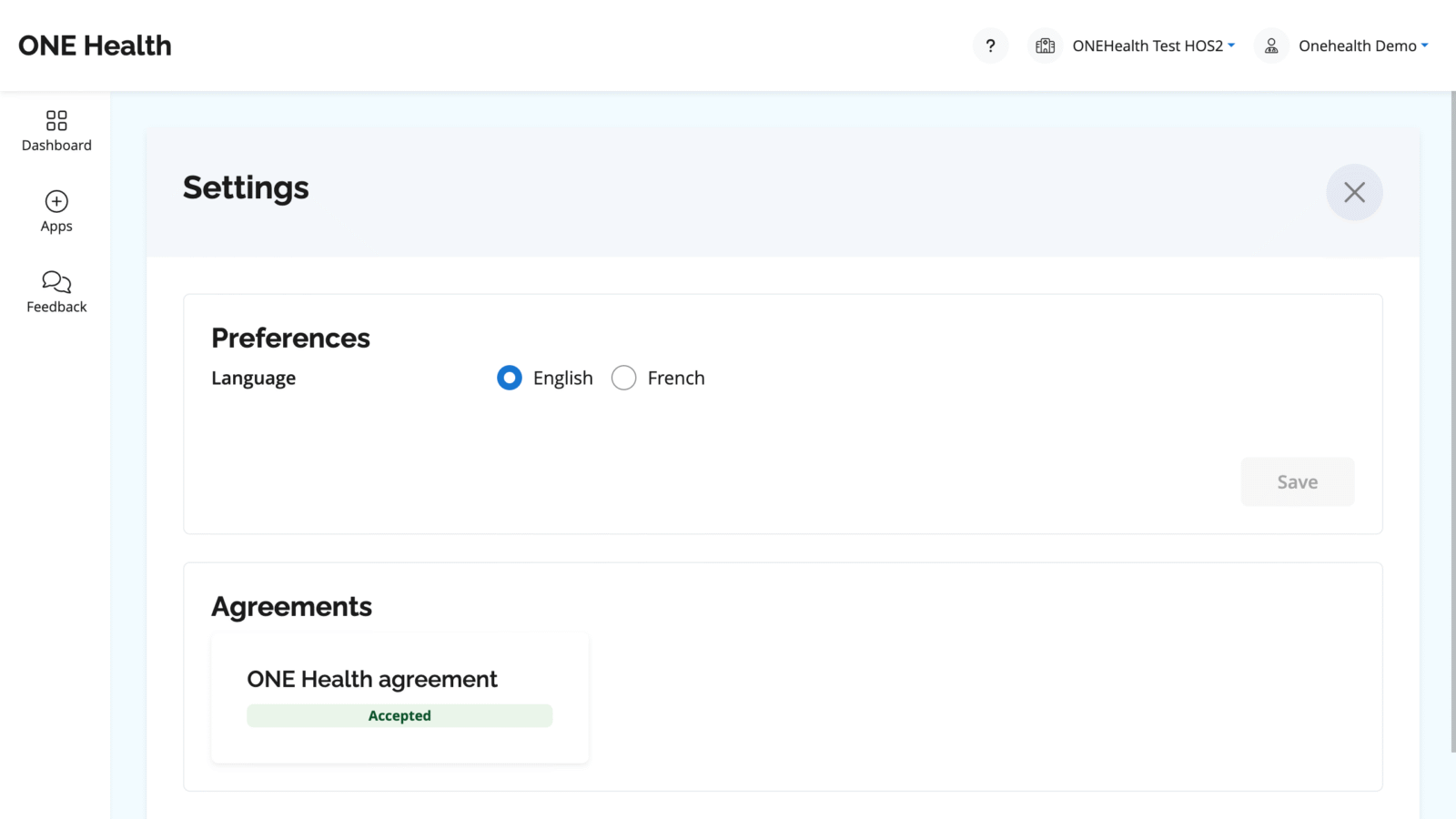
- Preferred Language: Choose your preferred language for the platform.
- Agreements Overview: View the status of your current agreements at a glance.
Keep your preferences updated to optimize your use of ONE Health.